
Views:

1> Update OS from 4.2.1 to 4.2.2
2> Minor bug fixing
3> More battery stand by time
4> Overall performance is more smooth, faster than previous
আপডেট করতে নিচের ধাপ গুলো ফলো করুন ।
বিঃ দ্রঃ - সকল রিস্ক আপনার নিজ দায়িত্তে নিবেন।
1.Install driver:
1st step: Power Off the phone and Connect your phone with PC via USB cable. Now go to My Computer>Manage> Other devices> MT65xx Preloader

2nd step: A window will appear like below and select Browse my computer for driver software

3rd step: To select driver go to driver folder> USB VCOM Driver> Win7

4th step: Windows security window will appear. Select Install this driver software anyway

5th step: Wait until Windows has successfully updated your driver software
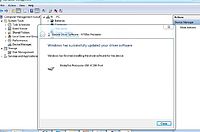
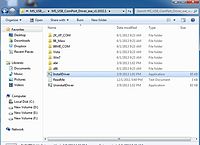
6th step: Now go to Driver Folder> Open MS_USB_Com Port_Driver_exe_v1.1032.1 > Install Driver
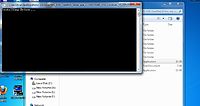
2.Open Flash Tool
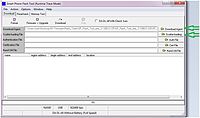
3.Open Download Agent and select MTK_AllinOne_DA

4. Open scatter_loading and select SW---> Software-> Primo_H2_V4.3_2013-05-29 MT6589_Android_scatter_emmc.txt
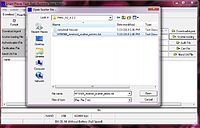
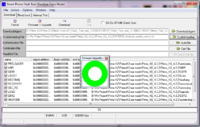
5. Click Download and connect USB with mobile (without battery)
6.When it shows Download ok in green, the installation is completed.
এই পোস্টটি পূর্বে এইখানে প্রকাশিত
Download firmware (Android 4.2.2 for H2) Flashtools & drivers:


100% working for my H2 Mobile.
ReplyDeleteWorking but i have download driver from another site.
ReplyDelete